Wedding Hashtag Generator
Client-sideFavorite Hashtags
 Funny, romantic, classic, or punny. Add your city or year. Unlimited generations, nothing
How to Create a Wedding Hashtag in Seconds
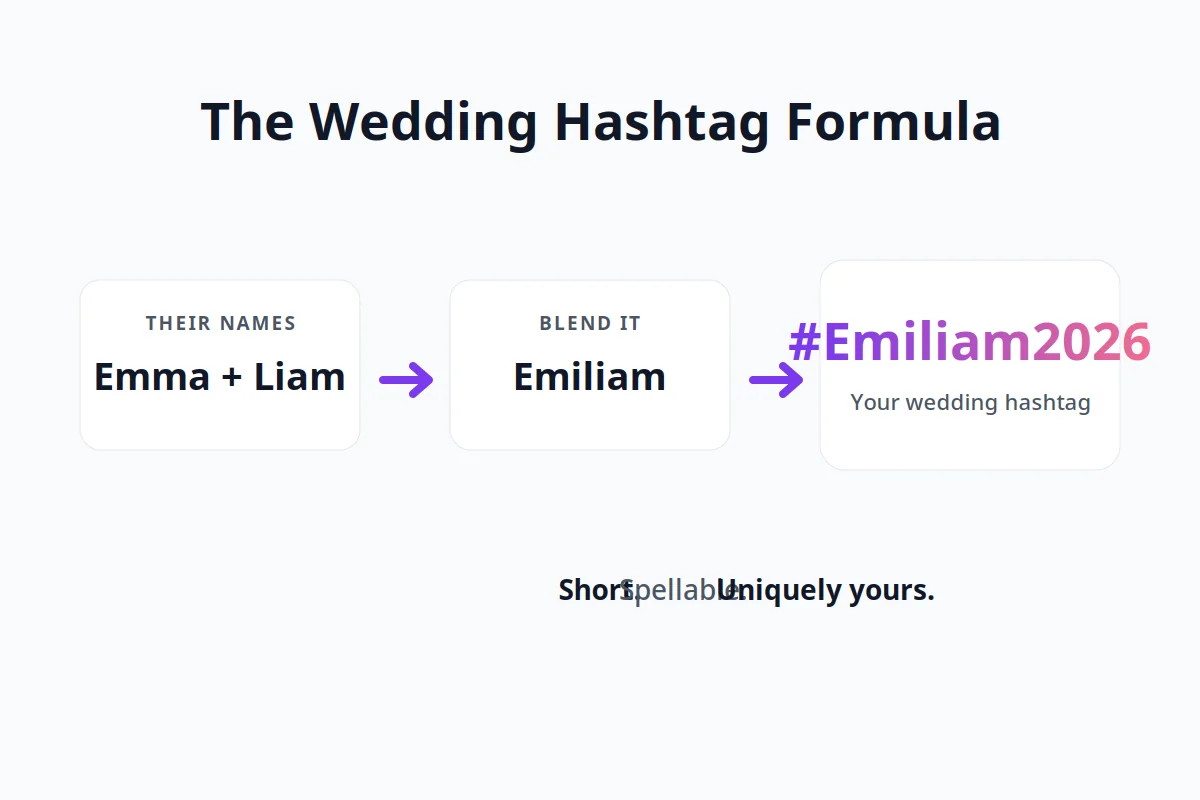
- Enter both names and pick a style.
- Add your wedding city or year if you want them in the tag.
- Generate, heart your favorites, and copy.
Run it as many times as you want. Nothing is locked behind a signup and there is no daily limit.
What Makes a Good Wedding Hashtag
Short, readable, and impossible to misspell. Keep it between 12 and 18 characters where possible, use Title Case so guests can read it at a glance (#EmmaAndJack, not #emmaandjack), avoid double letters that collide at the join, and say it out loud once. If it is easy to say and easy to type on a phone, it will work on Instagram and on the invites.
Wedding Hashtag Examples by Style
All examples below are generated samples with placeholder names, shown so you can see what each style produces.
Classic and last name hashtags
- #TheMillers2026
- #BecomingTheBrooks
- #MeetTheHarrisons
- #FinallyTheFosters
- #JohnsonPartyOfTwo
- #HappilyEverHayes
Funny wedding hashtags
- #SheSaidYesHeSaidFinally
- #GameOverGrayson
- #NoMoreSwipingForSophie
- #DrunkInLoveAndDallas
- #TylerGotLucky
- #LastFlingBeforeTheRing
Romantic wedding hashtags
- #WrittenInTheStarsWebb
- #AlwaysAndAveryMore
- #ToHaveAndToHolt
- #MeantToBeMitchell
- #ForeverStartsWithFinn
Punny surname hashtags
If your surname doubles as a word, lean into it:
- Read: #ReadyForeverAfter, #WellReadWedding
- Berry: #TheBerryBestDay, #BerryHappilyMarried
- Knight: #KnightToRemember, #LoveAtFirstKnight
- Price: #ThePriceIsRight2026
- Bell: #SavedByTheBell, #WeddingBells4TheBells
The test for a pun tag: your grandmother should get the joke on the first read. If it needs explaining, take the classic version instead.
City, destination, and year hashtags
- #SmithsInNapa
- #MillersGoToMaui
- #LondonLovesTheLees
- #TexasTiesTheKnot2026
- #ParkersInParis
Add the year when your surname is common (#SmithWedding2026 separates your photos from every other Smith wedding) or when guests span multiple cities.
Hashtags for Two Brides or Two Grooms
Same tool, same blends, two structural choices nobody tells you about:
- Whose name leads: run both orders. #JamesAndMarcus and #MarcusAndJames read differently, and the smoother one is usually the one where the shorter name goes first.
- Surname options: if you are keeping both surnames, blend them (#TheKimLopezWedding) or fuse them with the couple name combiner into one new tag. If one of you is taking the other’s name, the classic #BecomingThe___ format works exactly the same.
Where and When to Use Your Hashtag
Timeline, earliest to latest:
- Engagement announcement and engagement photos. The earlier guests see it, the more they use it.
- Save the dates and invitations.
- Wedding website and your Instagram bio during wedding week.
- At the venue: welcome sign, table cards, photo booth props, bar signs, and one behind the head table where every photo catches it.
- After: anniversary posts under the same tag keep the whole story in one searchable place.
Pick one final tag before anything goes to print. Two tags split your photos in half.
Check the Tag Before You Commit
Search the exact tag on Instagram and TikTok. Zero or near-zero recent posts means the tag is effectively yours. If another couple with your names got there first, add the year, the city, or switch to a blend from the couple name combiner.
Frequently Asked Questions
What is a wedding hashtag generator?
A wedding hashtag generator is a free tool that creates personalized hashtags using your names, your preferred style, and optional details like your wedding year or city. The hashtags are ready to copy and use on Instagram, TikTok, wedding invitations, signage, and your wedding website.
Is this generator really unlimited?
Yes. You can generate as many wedding hashtags as you like with no signup, no daily limits, no locked results, and no hidden charges. Keep generating until you find the hashtag that feels perfect for your wedding.
How do I create a wedding hashtag with our names?
Enter your name and your partner’s name, choose a style, and optionally add your wedding year or city. Click Generate to see your personalized hashtag ideas. For even more options, reverse the name order and generate again, as different input orders create different hashtag combinations.
How long should a wedding hashtag be?
For the best results, aim for 12 to 18 characters whenever possible. Shorter hashtags are easier for guests to remember, type correctly, and use while posting photos and videos from their phones during your wedding celebrations.
What if our hashtag is already taken?
If your preferred hashtag already has existing posts, try adding your wedding year, city, initials, or another personal detail to make it unique. You can also create a completely new blended name using our Couple Name Combiner, which often produces more distinctive hashtag ideas and helps keep your wedding photos separate from someone else’s.
Do people still use wedding hashtags?
Yes. Wedding hashtags remain one of the easiest ways to collect guest photos and videos in one searchable place across Instagram and TikTok. Use one primary custom hashtag consistently throughout your wedding, and encourage guests to include it whenever they share content.
Can it make hashtags for two brides or two grooms?
Absolutely. The generator works with any two names, regardless of gender. Try generating hashtags with both name orders and experiment with first names, surnames, or nicknames to discover the combinations you like most.
Should we use a generator or pay a hashtag writer?
For most couples, a wedding hashtag generator is the best place to start because it’s free, instant, and produces dozens of ideas within seconds. Professional hashtag writers are usually only worth considering if your names are particularly difficult to blend or you’re looking for highly customized wordplay after trying multiple combinations.
How do we get guests to actually use it?
Make your hashtag easy to see throughout your wedding. Display it on welcome signs, invitations, table cards, the photo booth, the bar, and your wedding website. Ask your MC or DJ to mention it once during the reception. Keeping the hashtag short and memorable will encourage more guests to use it.
Can we change the hashtag later?
Yes, as long as you haven’t printed your wedding materials yet. Before finalizing invitations, signage, or favors, feel free to test different options. Once your hashtag has been printed and shared with guests, it’s best to keep it consistent so all of your wedding photos and videos stay grouped under a single hashtag.
Can I use our wedding hashtag on Instagram?
Yes — Instagram is where wedding hashtags shine brightest. Pop your hashtag in your bio during wedding week, add it to your posts and stories, and display it on signs at the venue so guests use it too. Afterwards, searching the tag pulls everyone's photos into one joyful, scrollable album.